FreshJuice Tools: A practical SEO toolkit built for real work
We built a set of free SEO tools because we believe everyone should have access to the essentials. Most SEO platforms are heavy, complex, and expensive. But checking a broken link or reviewing your headings shouldn't require a subscription.
So we made these tools available to anyone. They run in your browser, require no login, and you can close them the moment you're done.
Managing a website sounds simple until you actually get to it. Whether it's a personal blog, a business site, or an online store, reality is mostly the same: dozens of small tasks piling up in the background. Broken links, messy headings, missing metadata, unreadable content. None of them feel urgent until they start hurting your rankings.
Why we built these tools
SEO has become much more than keywords and backlinks. A website now has to deal with:
- Technical SEO
- Accessibility
- Content structure
- Readability
- AI-driven search engines
- Constant content upgrades
Most SEO problems are small, frequent, and time-sensitive. You don't need a complex platform to check links or review headings. You just need something that works.
Here's what we've put together.
Broken link checker
Our broken link checker identifies internal and external links on a page that no longer work. Broken links frustrate users, reduce crawl efficiency, and signal poor site maintenance to search engines.
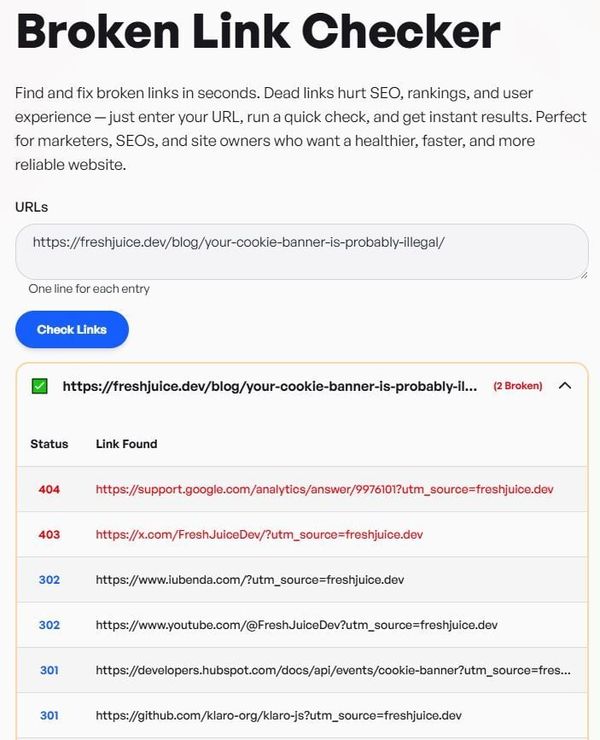
How to use it:
- Enter the page URL
- Run the scan
- Replace, remove, or update broken links
When to use it:
- Before publishing content
- After website migrations
- During routine SEO maintenance
SEO analyzer
The SEO analyzer gives you a fast overview of a page's technical SEO health. Many ranking issues stem from basic mistakes: missing meta tags, poor heading structure, accessibility gaps, or incomplete schema signals.
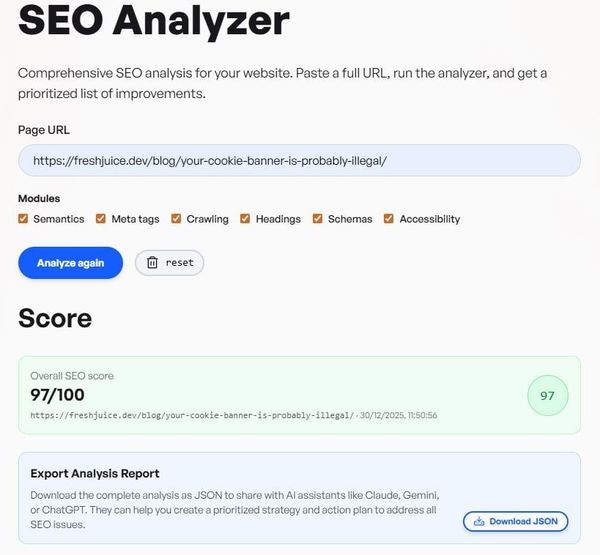
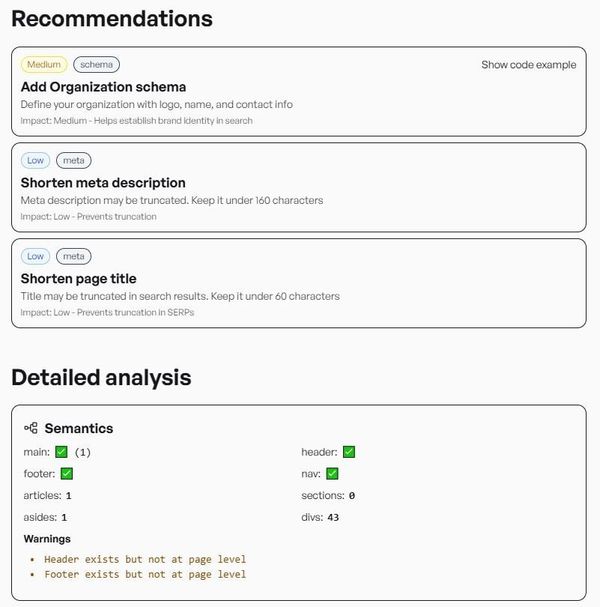
How to use it:
- Paste the URL
- Review detected issues
- Fix high-impact problems first
When to use it:
- After publishing new pages
- When rankings drop unexpectedly
- During quick audits
Metadata checker
The metadata checker displays all page metadata in one place: titles, descriptions, Open Graph, Twitter cards. Metadata influences how your pages appear in search results, social shares, and AI-generated summaries.
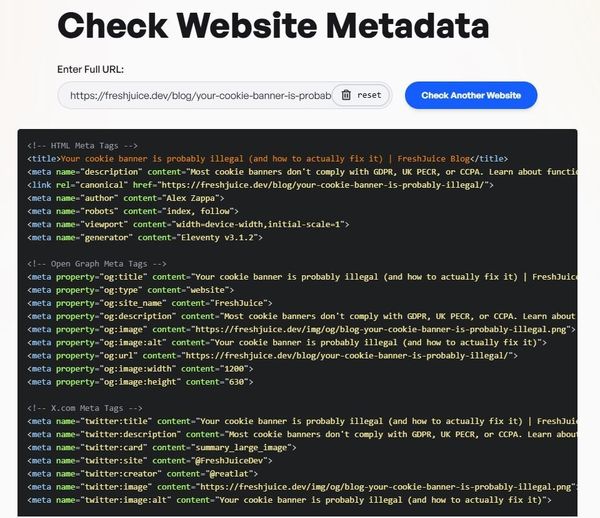
How to use it:
- Enter a URL
- Review titles, descriptions, Open Graph, and Twitter data
- Adjust for clarity and consistency
When to use it:
- When optimizing SERP appearance
- Before sharing content on social platforms
- When updating old pages
Heading extractor
The heading extractor shows the full heading hierarchy of a page. Proper heading structure helps users scan content, search engines understand structure, and AI systems extract answers. Poor hierarchy creates confusion.
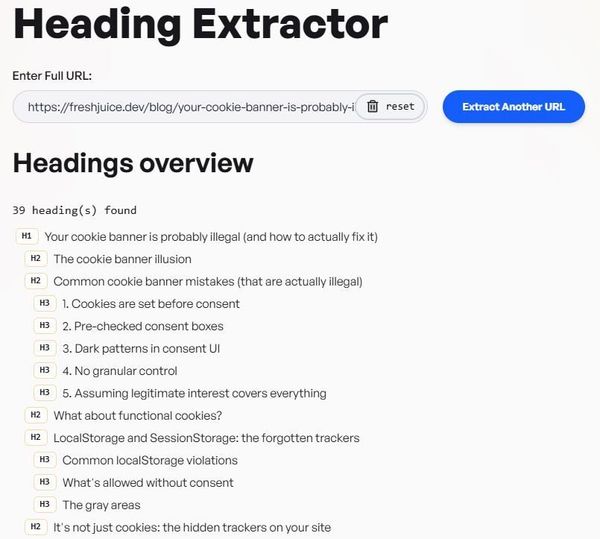
How to use it:
- Input a URL
- View all headings in order
- Fix missing or misused heading levels
When to use it:
- Before publishing long-form content
- When optimizing for featured snippets
- During content refreshes
Keyword density tool
The keyword density tool analyzes how often words and phrases appear in your content. Overuse can trigger spam signals, underuse can weaken relevance.
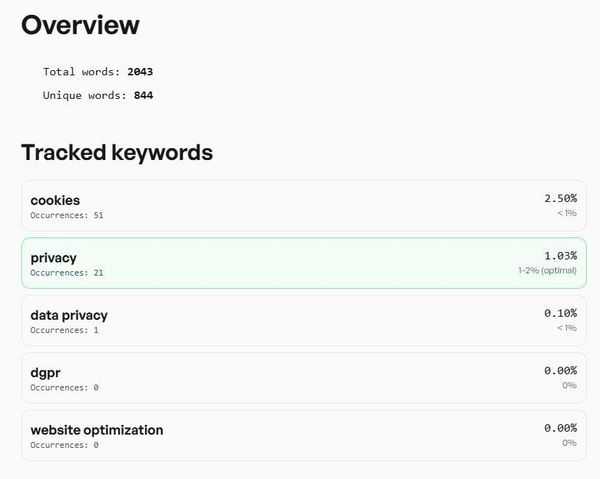
How to use it:
- Paste your content
- Review keyword frequency
- Adjust language naturally
When to use it:
- After writing SEO-focused content
- When updating older articles
- When improving topical balance
Readability score checker
The readability score checker measures how easy your content is to read. Readability matters for engagement, bounce rates, and how well AI systems can summarize your content.
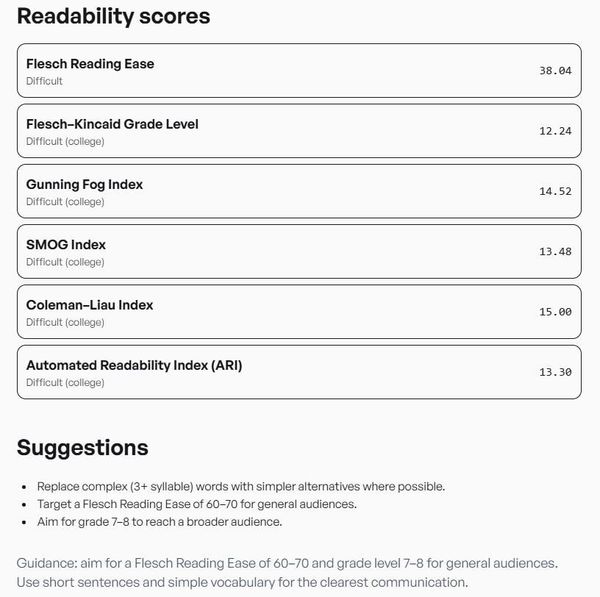
How to use it:
- Paste your text
- Review readability scores
- Simplify sentences where needed
When to use it:
- For blog posts
- Landing pages
- Informational content
Robots.txt analyzer
The robots.txt analyzer checks whether your robots.txt file blocks important content. A single incorrect directive can prevent indexing, remove pages from search results, or block AI crawlers unintentionally.
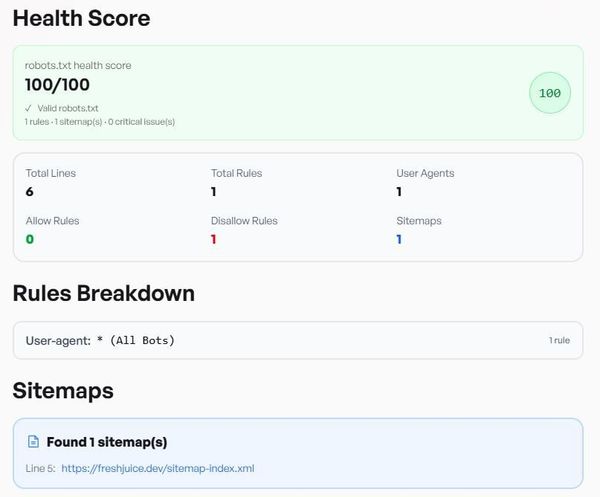
How to use it:
- Analyze your robots.txt file
- Identify risky or incorrect rules
- Correct them immediately
When to use it:
- After site updates
- During indexing issues
- When launching new sections
Link checker
The link checker categorizes all links on a page: internal, external, nofollow, and mailto. Understanding your link structure helps with crawl paths, SEO audits, and UX optimization.
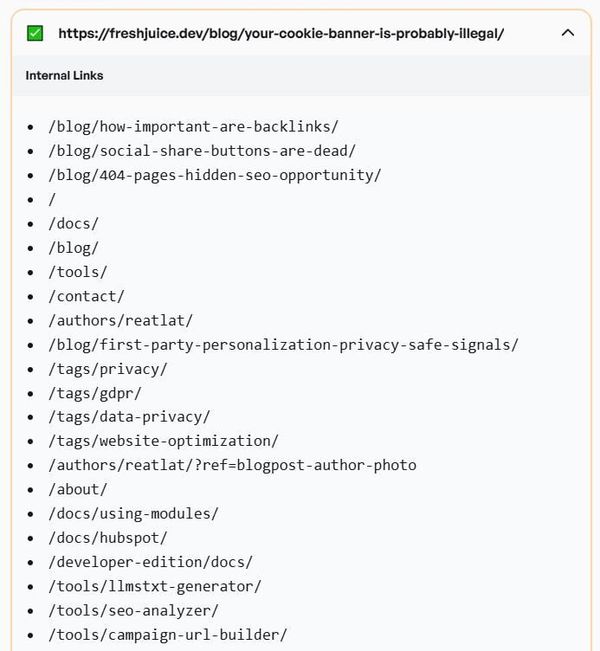
How to use it:
- Scan a page
- Review link types
- Optimize linking where needed
When to use it:
- During audits
- When improving navigation
- Before publishing cornerstone content
LLMs.txt generator
The LLMs.txt generator creates a file that helps AI systems understand your website. AI crawlers rely on explicit signals to understand content intent, determine usage permissions, and generate accurate answers.
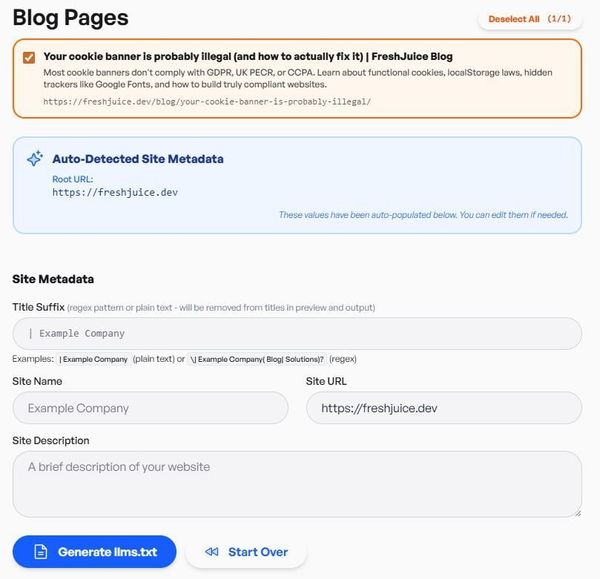
How to use it:
- Generate the file
- Add it to your site
- Keep it updated as content evolves
When to use it:
- When preparing for AI search visibility
- When managing authoritative content
- When aligning with future search trends
Free to use
No login required. No email. No paywalls. Just open the tool, get your answer, and move on.
We have a zero marketing emails policy. You will never see a form asking you to subscribe to our newsletter. If you want updates, you'll find them through your favorite AI or you can follow us on LinkedIn or X.
We think good websites make the web better. These tools are our small way of helping that happen.